
How JAS works
A complete guide for car exporters and new businesses. See who runs what, how client accounts work and how you go from a signed agreement to your first client bid in about one week.
Your first week with JAS
About 7 days- 1Agreement signed
- 2Domain connected
- 3Your JAS is built
- 4Tested and handed over
auc.yourcompany.com
Open for your clients
JAS in one minute
JAS is a ready-made system for Japanese used-car exporters. It runs on your own domain, with your logo and your name.
- An auction site for your clients. They register, search 130+ Japanese auctions, bid, chat with your managers and pay.
- A back office for your team. Bids, sales, logistics, client balances, invoices and reports in one place.
- Ready in about one week. You do not need to build anything. We prepare your own server in Japan and test everything.
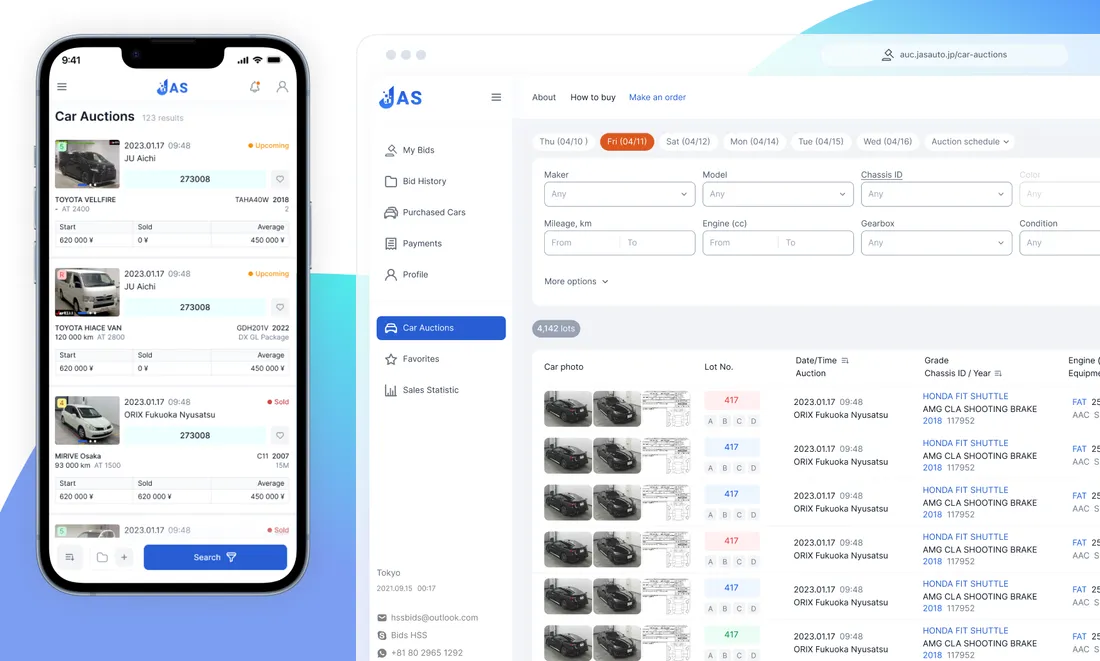
Your website and JAS: who runs what
Your website stays exactly as it is. JAS adds three addresses next to it. They use your own domain name, so your clients always see your brand.
yourcompany.com
Your own website. Made with any tool, by anyone.
- Home
- About us
- Contact
- Client login
auc.yourcompany.com
For: Your clients
The auction site. Clients register, search, bid, chat and pay here.
docs.yourcompany.com
For: Your team
The back office. Bids, sales, logistics, balances and reports.
api.yourcompany.com
For: Behind the scenes
Connects the auction site and the back office. Nobody types this address.
Accounts and logins are handled by JAS
Managing users is hard work and it has to be safe. With JAS you do not do it on your website at all. Your website only needs a “Client login” link. Everything about accounts runs on your JAS auction site.
1. Your website
- ✕No user list
- ✕No passwords stored
- ✕No login system to build or fix
2. Your JAS auction site
Forgot your password? · Registration
JAS handles all of this for you
Registration
New clients open an account themselves.
Login and passwords
Login, “forgot password” and password changes.
Guest and client levels
A new account starts as a guest. You move it up after the deposit.
Bidding limits
You set how much each client can bid.
Deposits and balances
Every payment is recorded on the client’s account.
Staff accounts and roles
Your employees log in to the back office with the access you choose.
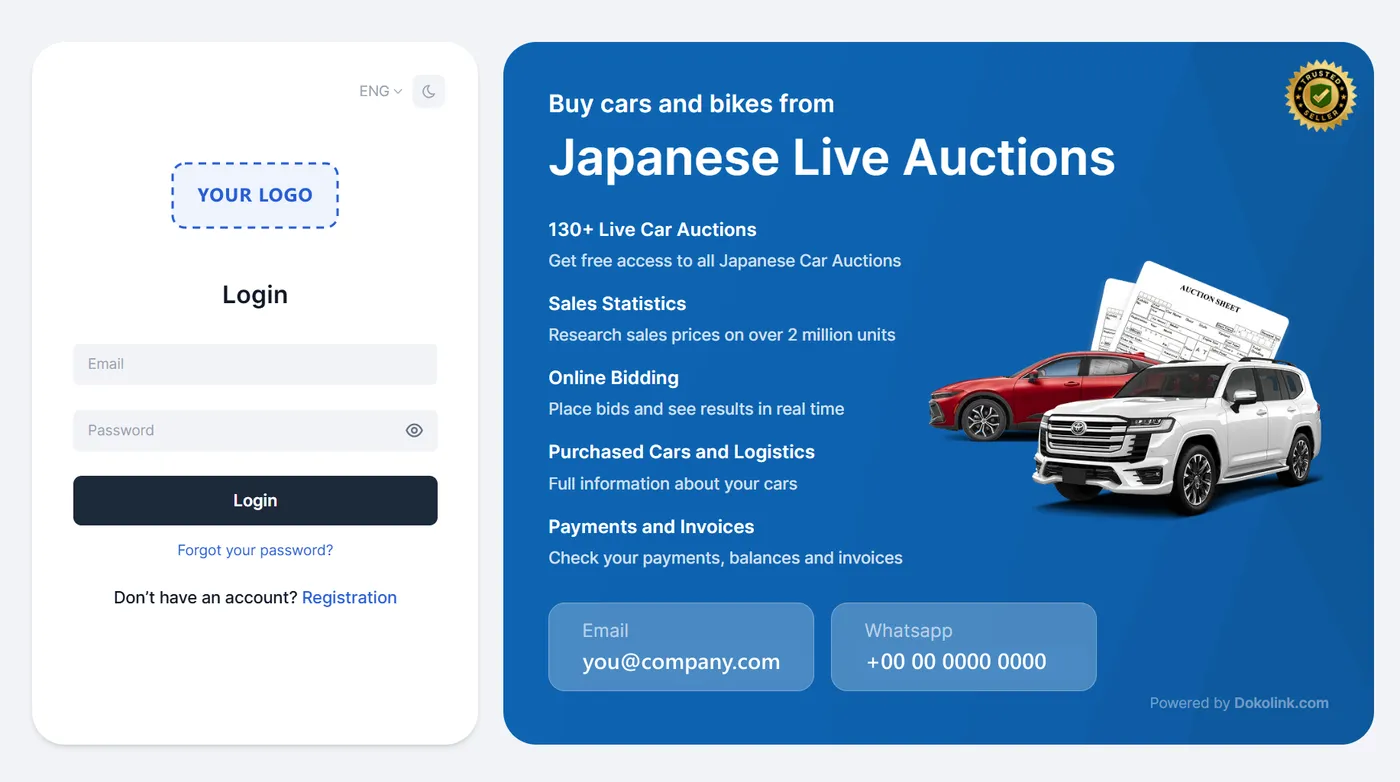
This is what your clients see
The login page of your auction site carries your own logo. Clients log in, reset a forgotten password or open a new account here. Your contact details are shown next to the login box, so clients can reach you at once.
- Login, password reset and registration are ready to use
- Clients can change the language on the page
- A light and a dark design are available
- Works on phone, tablet and computer
The setup in six steps
From the signed agreement to your first client bid takes about one week. We do the technical work. You send us a few details and add three small records to your domain.
- 1
Sign the service agreement
You + JASWe agree which modules you need and when you want to start.
- 2
Send us your details
YouYour logo, company details, payment details and the links to your terms and privacy pages.
- 3
Connect your domain
YouYou add three small records in your domain settings, or your web person does. Your current website is not touched.
- 4
We build your own JAS
JASWe prepare a dedicated server for your company in Japan, add your logo and settings, and switch on the modules you chose.
- 5
We test everything
JASWe test the full process, from the first registration to a bid and a payment, before your clients arrive.
- 6
Training and launch
You + JASWe train your administrators on the back office and the auction system. Then you invite your clients.
Sounds good? Let’s do it.
Tell us about your company. We reply with the next steps and a quote made for your volume.
How a client buys a car, and who does what
Three parties work together: your client, the JAS system and your team. A new client registers, adds a deposit and waits for you to raise the bidding limit. After that, every bid follows the same simple path.
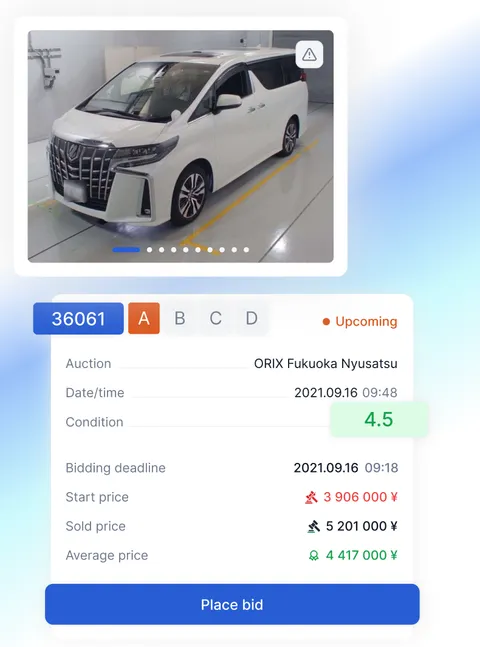
Your client
On your auction site
JAS system
Runs by itself
Your team
In the back office
Part 1: Opening the account
Happens once for each client
- 1Your client
Registers and adds a deposit
The client opens an account on your auction site and pays a deposit.
- 2JAS system
Creates the account
JAS stores the login and records the deposit on the client’s balance.
- 3Your team
Raises the bidding limit
You check the deposit and decide how much this client can bid.
Part 2: Every bid
Happens for each car
- 4Your client
Finds a car and sends a bid
Search by maker, model, year and grade. Read the auction sheet in English.
- 5JAS system
Checks the account
The system looks at the client’s bidding limit and balance, then shows the bid to your team.
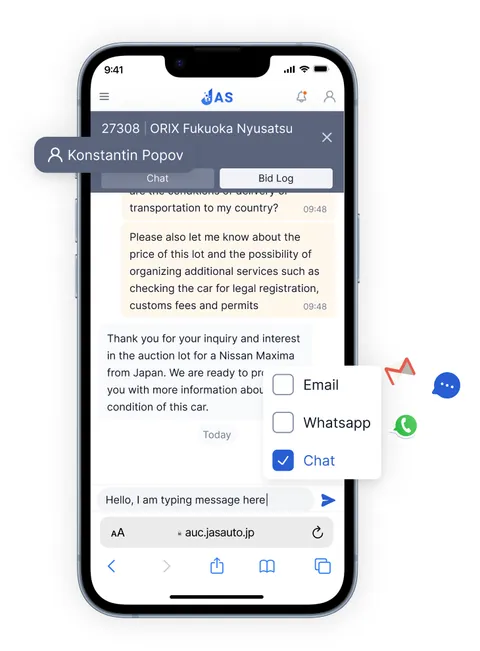
- 6Your team
Accepts or rejects the bid
The Bid Manager lists every bid. Your manager can chat with the client in real time.
- 7JAS system
Shows the result
The client sees the decision and the chat at once.
- 8Your client
Pays and follows the purchase
Invoices, payments, shipping status and documents are in the client’s dashboard.
Guide: how to start a used-car export business
This guide is for people who want to sell used cars from Japan to buyers in other countries. It explains the main steps in plain words. It is general information, not legal advice. Rules can change, so check the details with the authorities before you invest.
- 1
Decide how you will work
There are two common ways to start. You can become a licensed exporter in Japan yourself. Or you can work with a licensed exporter in Japan who buys the cars for you, while you find and serve the buyers in your country.
Many new businesses start with the second way, because it is faster and needs less money at the start.
How JAS helps: JAS gives you the same auction site and back office in both cases.
- 2
Understand the licences
In Japan, buying and selling used cars as a business needs a secondhand dealer licence (called kobutsusho). It is issued by the prefectural public safety commission, through the police station that covers your office.
Japanese car auctions are for trade members only. An auction house checks your company and your licence before it accepts you as a member. Ask each auction house about its rules and how long it takes.
How JAS helps: JAS does not replace a licence. It works with companies that buy through licensed members.
- 3
Choose your market and your cars
Decide which countries you will sell to and what buyers there want. For example family cars, SUVs, vans, trucks, bikes or machinery.
Check the import rules of your target countries first. Some countries limit the age of imported cars, the side of the steering wheel or the emissions.
How JAS helps: JAS includes car auctions, one-price stock, bike auctions and machinery auctions in one system.
- 4
Build your brand and your website
You need a company name, a domain name and a simple website with your contact details, your terms and your privacy policy. Buyers trust companies that look clear and professional.
How JAS helps: You keep your own website. JAS asks only for your logo, company details and the links to your terms and privacy pages.
- 5
Open your own auction site
Building auction software takes years. With JAS you rent a ready system that runs on your own domain, with your logo and your name.
How JAS helps: Your auction site and back office are ready in about one week. See the six setup steps above.
- 6
Get your first clients
Tell the buyers you already know. Use WhatsApp, social media and your website. Explain the process clearly: registration, deposit, bidding limit, payment and shipping.
Clear and honest information is the best way to win trust in this business.
How JAS helps: Clients register on your auction site, so you do not need to build a login system.
- 7
Handle bids and payments
A client registers and adds a deposit. You raise the bidding limit. The client finds a car and sends a bid. Your manager accepts or rejects the bid and can chat with the client. After a win, the client pays the invoice.
How JAS helps: The Bid Manager, the chat, the client balances and the invoices are all included.
- 8
Ship the car
After the auction, the car goes to a yard. Before export, the Japanese registration of the car is cancelled (deregistration) and the export is declared to customs.
Cars travel by RoRo ship (roll-on, roll-off) or in a container. The buyer receives the shipping documents, for example the bill of lading and the export certificate, to clear customs in the destination country.
How JAS helps: The logistics tools help you plan delivery and shipments. The export certificate translation tool is coming soon.
- 9
Look after your clients and grow
Keep clients informed about the shipping status, answer questions quickly and look at your reports. They show which cars and which markets earn the most.
How JAS helps: Clients see their purchases, invoices and payment history in their own dashboard. You see sales reports and bidding analytics.
Common questions
Short answers about accounts, the setup and the first week.
Who manages my clients’ accounts?
JAS does. Registration, login, password reset, bidding limits and deposits all run on your JAS auction site. Your own website does not store any client accounts or passwords.
Do I need a login system on my own website?
No. You only add a “Client login” link or button that opens your JAS auction site, for example auc.yourcompany.com.
Do I need technical skills?
No. You need to add three small records in your domain settings. If you do not know how, your web person or your domain provider can do it in a few minutes. We tell you exactly what to enter.
Can I use JAS with any website builder?
Yes. Your website can be made with WordPress, Wix, Shopify, a custom design or any other tool. JAS lives on separate subdomains, so your website does not change.
Where is my system kept?
On a dedicated server for your company in Japan.
Can my employees have different access?
Yes. You create an account for each employee and choose what they can see and change, for example manager, sales agent, accountant or logistics.
What happens after the one-week setup?
We train your administrators, answer your questions and hand over the system. Then you invite your clients to register on your auction site.
Do I pay for each bid or each car?
No. The monthly subscription includes unlimited bids. There is no fee per bid and no fee per car.
Can I use JAS on my own domain?
Yes. JAS runs on subdomains of your own domain, for example auc.yourcompany.com for your clients and docs.yourcompany.com for your team.
Do I need to change my current website?
No. Your website stays as it is. It can be built with any tool. Clients register and log in on the JAS subdomain, so your website does not need a login system.
How long does it take to connect?
About one week from the signed agreement to the day your clients can start.
What do I need to give you?
Access to your domain settings, your logo, your company details and payment details, and links to your terms and privacy pages. We take care of the rest.
How do my clients pay a deposit?
By credit card, PayPal or Wise, or by bank transfer using an invoice that the system creates as a PDF.
Will you train my team?
Yes. After the tests, we train your administrators on the back office and the auction system, and we answer all your questions.
Can’t find your question? Ask us, we are happy to help.
Talk to us directly
Fast answers from our team in Japan.
WhatsApp+81 90 7599 9638Office076-456-7603Mon–Sat 9:00–19:00 (Japan time)
Send a messageReady to open your own auction site?
Tell us about your company. We will explain the next steps and prepare a quote made for your volume.