
One back office for your whole team
Bids, sales, shipping and money are all in one system. Each employee sees only what they need.
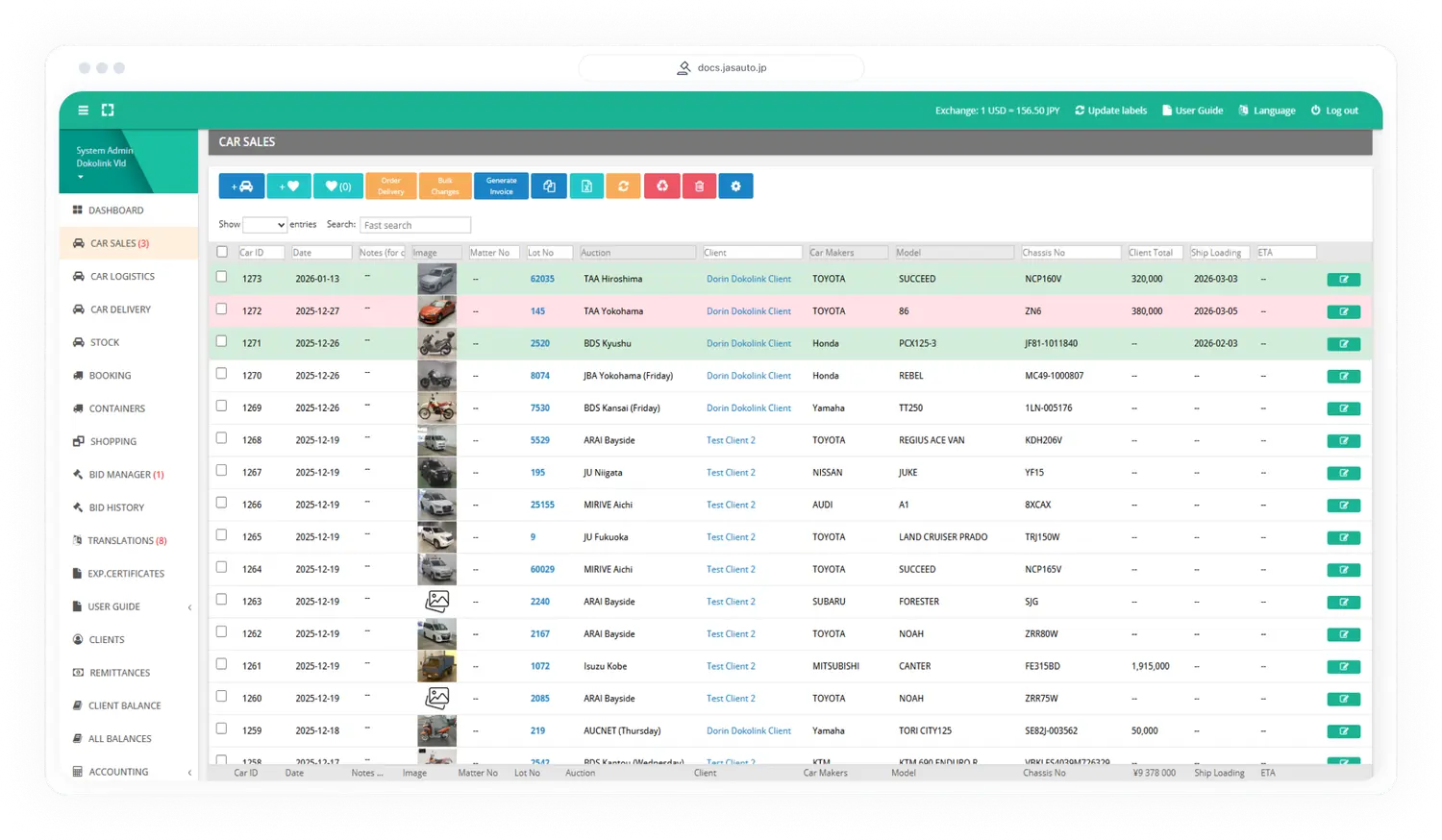
Every car, from auction to shipping
The car sales list is the heart of your day. One line per car, with the client, the auction, the lot, the staff member and the payment status.
- See the payment status of each car at a glance
- Select several cars to create an invoice, order delivery or add them to a container
- Search, filter and change many cars at once
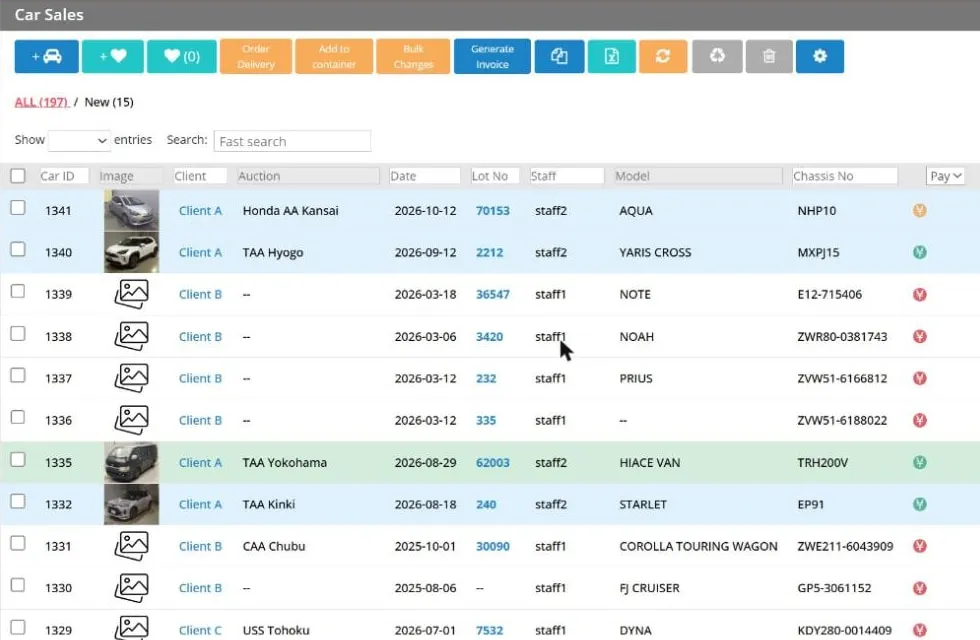
Swipe the picture sideways to see the whole table.
Know where every payment is
Record each transfer from a client and match it to the cars it pays for.
- Keep the date, the bank account, the exchange rate and any bank fee with each payment
- Allocate a payment to one or more cars and see what is still unallocated
- Follow the status: unassigned, under review or in transit, and move money between clients when needed
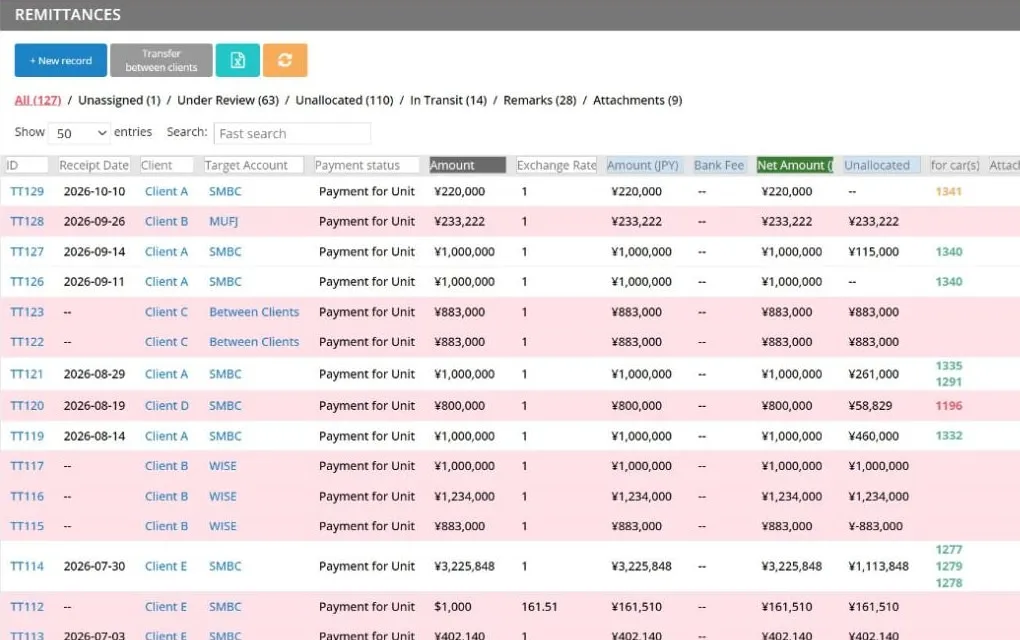
Swipe the picture sideways to see the whole table.
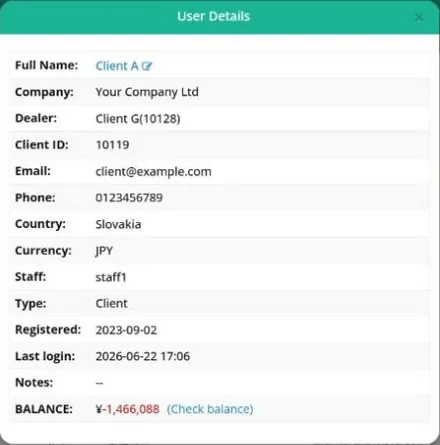
Your clients, one click away
Every client has a record: country, currency, language, assigned staff member and last login.
- Open the details of a client and the balance in one click
- See at once who is verified and who has not logged in for a while
- Export the client list to Excel
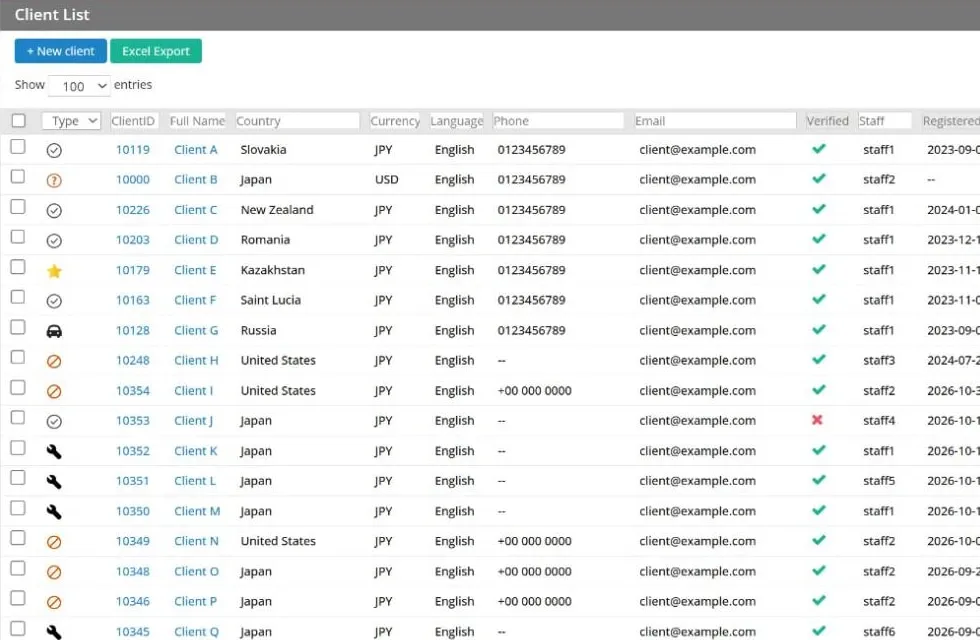
Swipe the picture sideways to see the whole table.
A clear balance for every client
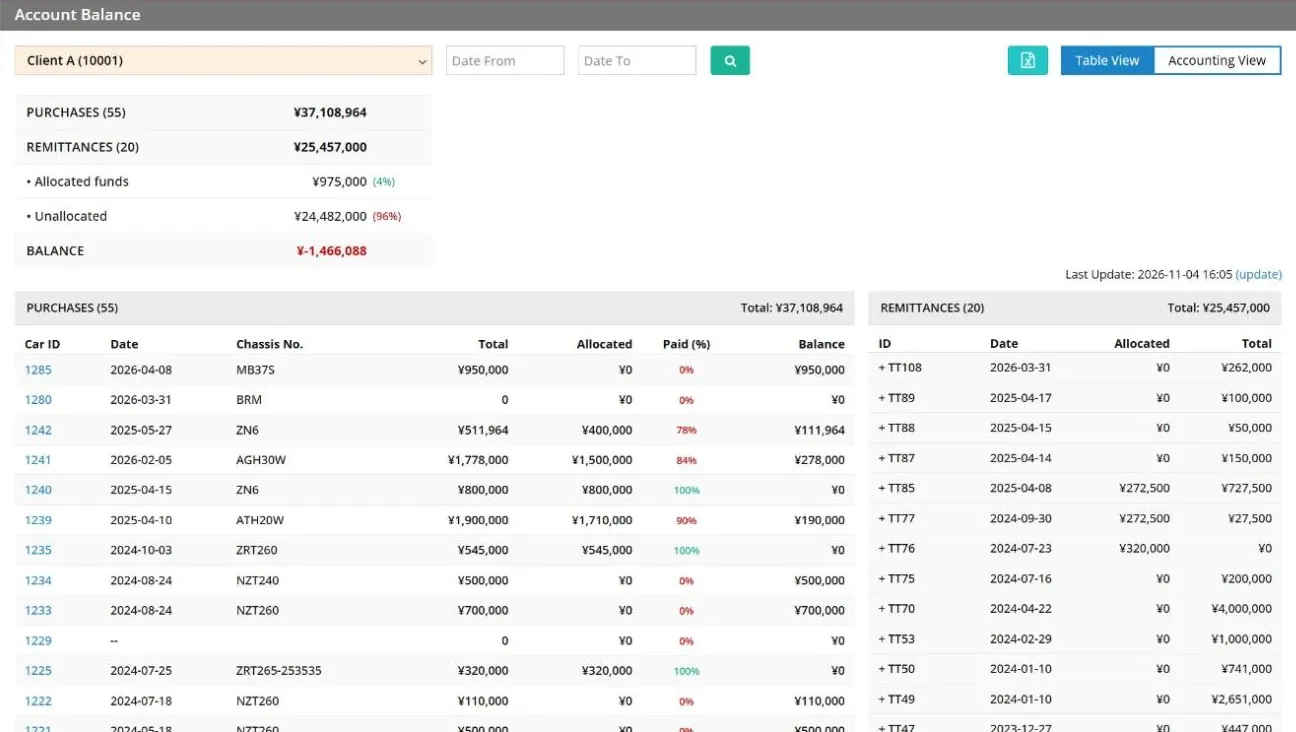
Purchases on one side and payments on the other, with the balance always up to date.
- See how much of each car is already paid, in percent
- Choose a date range and switch between a table view and an accounting view
- Share a clear statement with your client
Swipe the picture sideways to see the whole table.
Plan every container and booking
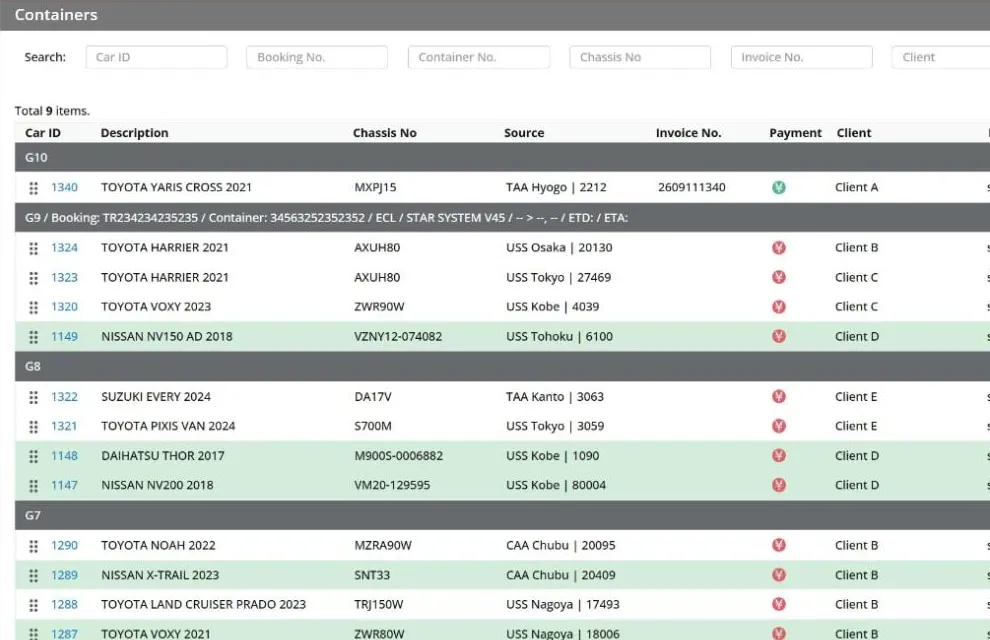
Put the cars of different clients into containers and see everything that goes on one ship.
- Group cars by container and booking, and move them between groups
- See the client, the invoice number and the payment status of every car
- Find a car by chassis number, booking, container, invoice, client or manager
Swipe the picture sideways to see the whole table.
The right access for each person
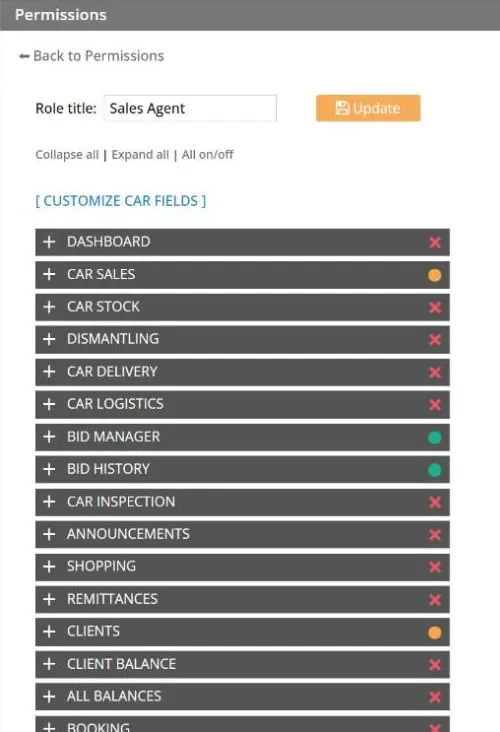
You create an account for every employee and choose exactly what they can see and change. A sales agent does not need to open the accounting pages.
- Create roles such as Sales Agent, Sales Supervisor, Accountant or General Manager
- For each role, switch every part of the system on, partly on or off
- Limit a role to its own records, for example a sales agent sees only their own clients
See how your business is doing
Reports turn your daily work into numbers you can use.
- Bidding analytics: bids, wins, win rate, cancellations and the average bid price
- Business reports with sales, expenses and profit
- Choose any date range and export to Excel
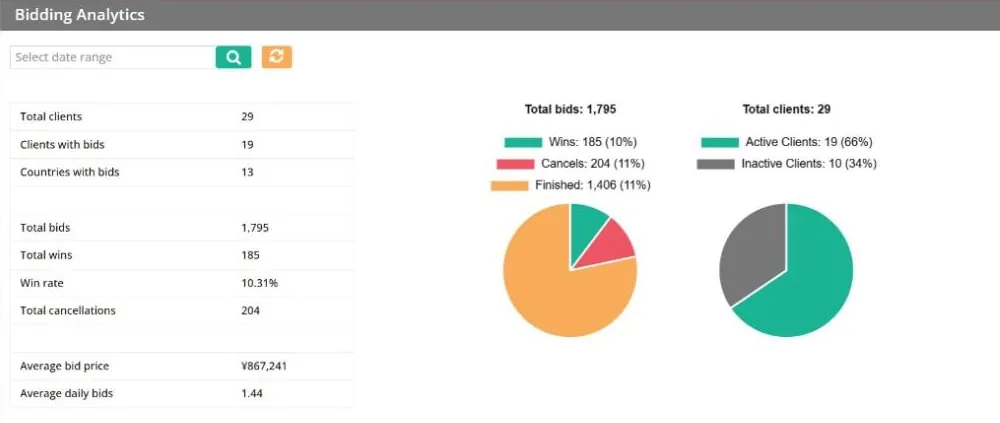
Swipe the picture sideways to see the whole table.
And more inside
There is more behind these pages. All pictures on this page show sample data with changed names.
- Bid Manager: every client bid in one list, with chat
- Auction sheet translation requests
- Inspection requests
- Announcements for your clients
- Stock cars and dismantling
- Car delivery and logistics
- Shopping orders
- Invoices as PDF files
- Export certificate translation
- Files and documents
- Website content: banners, blog and FAQ
- Alerts by browser and email
Want to see it working?
We show the full system in a personal demo. Tell us about your company and we will arrange it.